AI virtual try-on
Virtual try-on, right in your store.
Customers choose a garment, add their own photo, and see a personal preview directly on your site.
Five simple steps
How virtual try-on works for your customers.
See how your customers can try on clothing directly in your online store.
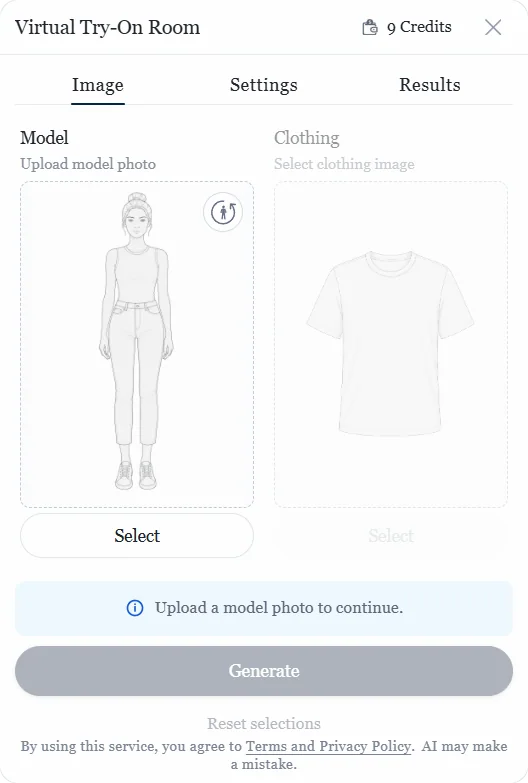
Step 1 of 5
Open the try-on
The customer opens the widget from a product page.

Better shopping
Your customers try on clothing right on your site.
They choose a garment, add a photo, and see the result without interrupting their shopping.
- Try on clothing without leaving your store.
- Use a camera or upload a photo.
- See a personal preview of the selected garment.
- Continue shopping with a clearer view.
Quick setup
Add AhaDrobe to your store.
Create a workspace, add your store, and approve its web address.
Choose credits and a device limit, then add the code to offer virtual try-on.
- 1
Create a workspace
Create a workspace to manage your store and AhaDrobe.
- 2
Add your store
Add the web address where the widget can run.
- 3
Add the code
Place the generated code snippet on your site.
- 4
Choose credits
Select a credit package and set a device limit.
- 5
Start offering try-ons
Customers can now use virtual try-on directly in your store.
Flexible control
Control how AhaDrobe works in your store.
Manage where the widget runs, how credits are used, and the settings that fit your store.
-
Approved web addresses
Choose the web addresses where the widget can run.
-
Credit controls
Choose your package and set a limit for each device.
-
Usage overview
See available credits and try-on activity in one place.
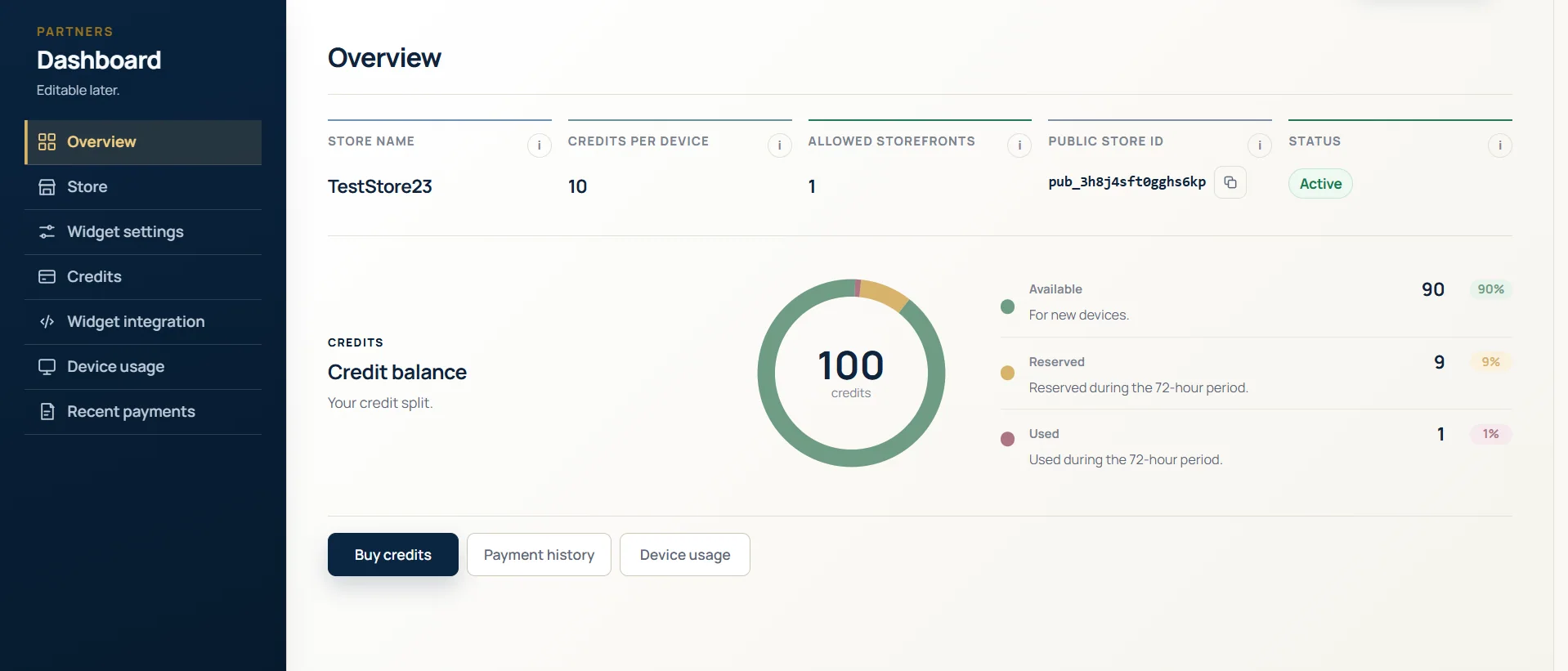
Your workspace
Manage AhaDrobe in one place.
Keep track of your stores, widget settings, credits, and usage from one workspace.
- Choose exactly where the widget can run.
- Set a credit limit for each device.
- Review available credits and try-on activity.
Credits per device
Clear control over every credit.
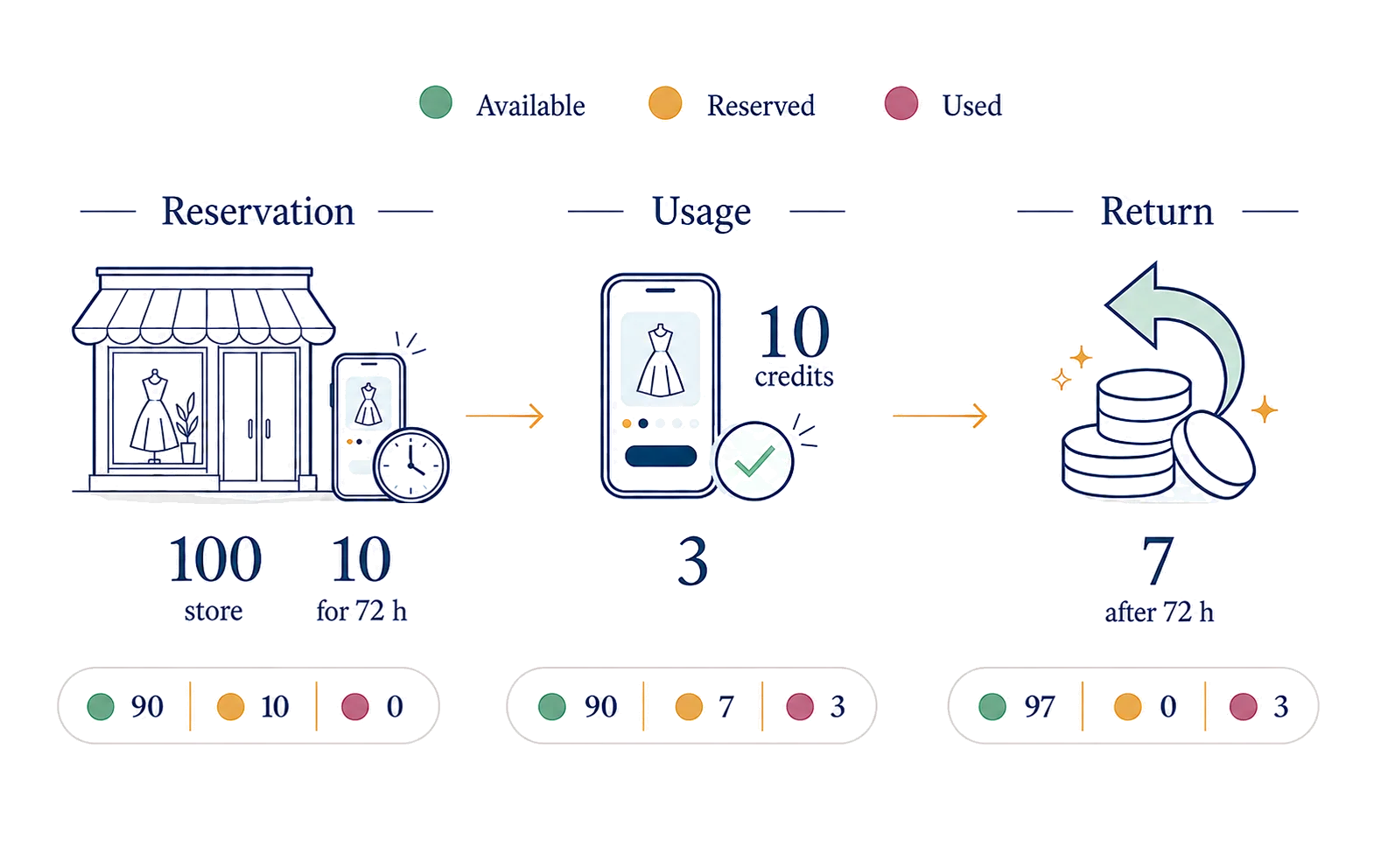
When a device opens the widget without an active allocation, its set limit is reserved for 72 hours. Your dashboard clearly separates available, reserved, and used credits.
- Only that device's configured limit is reserved.
- Previews are counted against its reserved credits.
- After 72 hours, unused credits return to the available balance.
Common questions
Answers about setup and credits.
Learn more about integration, store addresses, credits, and device limits.
See all questionsNeed help with setup or customization?
Send us an inquiry about integration, store setup, or customizing the widget to match your site.